

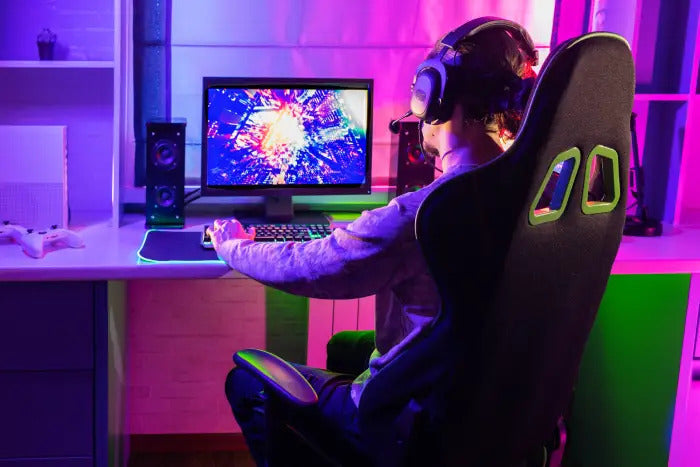
Why the Right Setup and Gaming Chairs Are Important
Gaming has evolved from a casual hobby to a fully immersive experience. Whether you’re a professional gamer or play for fun, having the right gaming setup is crucial. A well-planned gaming space improves performance, comfort, and enjoyment.
Gaming chairs and instant gaming solutions are key components—they make gameplay comfortable, convenient, and immersive. High-quality gaming chairs support your posture for long sessions, while instant gaming platforms allow you to play the latest releases immediately.
Choosing the Right Gaming Chair for Comfort and Performance
A gaming chair is more than just a seat—it’s an ergonomic essential that provides support during long gaming sessions.
Support for Posture and Ergonomics
The best gaming chairs offer excellent lumbar support, adjustable armrests, and headrests. Ergonomic designs ensure correct posture, reducing back and neck strain during extended gaming periods. Height adjustability and reclining features enhance comfort.
Material and Durability
Gaming chairs are available in PU leather, fabric, and mesh. PU leather is easy to clean and stylish, while mesh provides breathability, perfect for warmer climates. Durability is key—good chairs last for years even with daily use.
Style and Customization
Modern gaming chairs often feature vivid colors and racing-style designs. Many chairs come with adjustable cushions, customizable settings, and RGB lighting, enhancing both comfort and aesthetic appeal. Choosing a chair that matches your setup elevates both performance and style.
Making the Best Gaming Setup
A complete gaming setup combines technology, ergonomics, and personal preferences to create an optimized and immersive environment.
Picking the Right Desk
A sturdy, spacious desk is essential for holding multiple monitors, consoles, and accessories. Consider an adjustable desk for switching between sitting and standing positions during long gaming sessions.
Choosing and Placing a Monitor
Visual performance is crucial. Choose monitors with high refresh rates to reduce motion blur and improve responsiveness. Position your monitor at eye level with your gaming chair to minimize neck strain. Multiple monitors enhance multitasking and immersion.
Keyboard, Mouse, and Peripherals
High-performance peripherals complete your setup. Mechanical keyboards, precision mice, and gaming controllers improve gameplay. Cable management solutions keep your setup tidy, ensuring a distraction-free environment.
Using Instant Gaming for Convenience
Instant gaming allows gamers to purchase and play digital games immediately, bypassing physical copies and shipping delays.
Advantages of Instant Gaming
-
Access the latest releases instantly.
-
Take advantage of frequent discounts and promotions.
-
Maintain and organize a digital game library easily.
-
Avoid storage issues with physical discs.
Choosing the Right Platform
Instant gaming is available via console storefronts and PC-based digital distribution platforms. Choose a platform compatible with your devices and preferred game genres. Ensure high-speed internet for a smooth experience.
Optimizing Your Gaming Setup
A top-tier gaming setup is more than just chairs and monitors—it requires hardware optimization, audio, and lighting.
Hardware Considerations
Ensure your PC or console has sufficient RAM, strong GPUs, and efficient cooling systems. High-performance hardware reduces lag, enhances graphics, and improves competitive play.
Headphones and Audio
Immersive audio enhances gameplay. Noise-canceling and adjustable gaming headsets improve focus and make your sessions more enjoyable.
Lighting and Ambiance
RGB lighting, smart LED strips, and ambient lighting can enhance immersion. Adjustable lighting prevents eye strain during long sessions while boosting style.
Integrating Comfort, Style, and Instant Gaming
A well-balanced gaming setup combines comfort, efficiency, and instant access to games. Ergonomic chairs and instant gaming platforms make your space functional, stylish, and ready for any adventure.
Positioning Your Gaming Chair
Align your chair with your desk and monitor. Adjust armrests, seat height, and recline angles to ensure comfort and mobility while gaming.
Managing Your Instant Gaming Library
Organize games by genre, popularity, or release date for quick access. Proper library management reduces time spent searching for games and maximizes playtime.
Add-Ons and Upgrades for a Better Gaming Experience
Enhance your setup with additional accessories.
Controllers and Consoles
Wireless controllers add convenience and flexibility. Keep controllers near your gaming chair for easy access.
Comfort Items and Cooling Pads
Use wrist rests, seat cushions, and cooling pads for long sessions. They improve comfort and prolong hardware lifespan.
Streaming and Recording Equipment
If you stream or record gameplay, include microphones, cameras, and green screens. These complement your chair and instant gaming library to create a complete gaming environment.
Budgeting for Your Gaming Setup
Gaming setups can range from affordable to high-end. Plan your budget carefully to prioritize chairs, accessories, and digital games.
Smart Spending on Gaming Chairs
Premium chairs offer comfort and extra features, but mid-range options can still provide ergonomic support and style. Focus on durability, support, and customization rather than brand names alone.
Smart Spending on Instant Gaming
Take advantage of sales, bundles, and promotions on digital platforms. Strategically purchasing games ensures a growing library without exceeding your budget.
Gradual Setup Upgrades
Start with essentials—chair, monitor, keyboard—and gradually add lighting, peripherals, and streaming equipment. This approach keeps your setup up-to-date while staying within budget.
Maintaining Your Gaming Setup
Regular maintenance ensures your setup remains comfortable, functional, and aesthetically pleasing.
Caring for Gaming Chairs
Clean chairs with soft wipes (for leather or PU) or vacuum fabric chairs. Regular maintenance preserves appearance and comfort.
Maintaining Hardware
Dust and heat affect performance. Clean PCs, consoles, and monitors regularly. Use cable management tools and keep software updated for smooth instant gaming.
Organization Tips
Keep your digital library, peripherals, and workspace organized. A clean and orderly setup improves focus, productivity, and enjoyment.
Conclusion: Elevate Your Gaming Experience
A complete gaming setup includes ergonomic gaming chairs, optimized hardware, and instant access to games. Focusing on comfort, performance, and convenience creates an immersive and enjoyable experience.
Your gaming setup reflects your lifestyle—choose a comfortable chair, utilize instant gaming platforms, and organize your space efficiently. By paying attention to detail, you can create the ultimate gaming environment for both casual and competitive play.